
Server lifecycle
Start, stop, restart and validate SCUM servers from a clear desktop interface with safeguards around multi-server actions.
A practical control centre for installing, configuring, monitoring and maintaining SCUM dedicated servers.
SSM applies the same straightforward desktop approach to SCUM, with current support for server lifecycle management, updates, configuration, backups, scheduled restarts and community integrations.
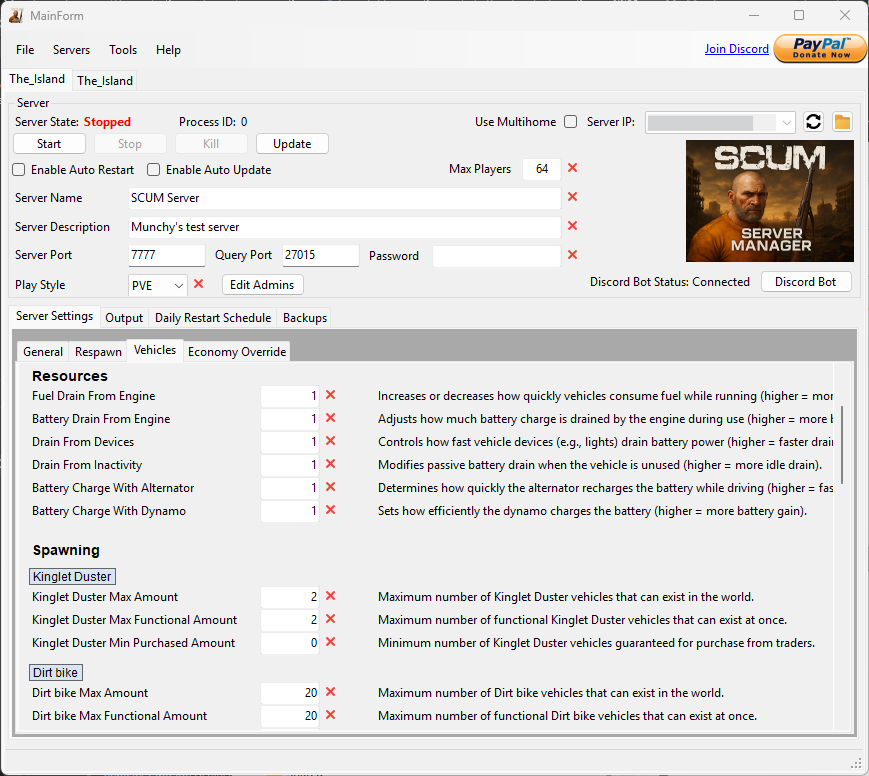
The page is organised around practical outcomes rather than a long list of minor settings.
Start, stop, restart and validate SCUM servers from a clear desktop interface with safeguards around multi-server actions.
Install and update server files, display update progress and recover from common SteamCMD cache failures.
Edit ServerSettings.ini and EconomyOverride.json using controls tailored to SCUM server settings.
Changes made to supported configuration files outside SSM can be detected and reflected in the interface.
Choose individual daily restart times, allowed days and player notification timing.
Create automatic backups and progressively thin older archives while preserving useful restore points.
Detect unexpected stops, apply restart rules and avoid repeated restart loops after persistent failures.
SSM Pro includes Discord status displays and slash commands for supported remote server actions.
Send status notifications, monitor joins and leaves, view connected players and assist with administration.
Rather than treating SCUM as a generic server process, SSM provides dedicated controls for its configuration files, restart patterns, player monitoring and update requirements.
Prices and availability are shown as a clear decision rather than buried inside the feature list.
Store pricing, discounts and availability may change. The itch.io product page is the definitive source at the time of purchase.
Visit the product page for the current download, price and release information.